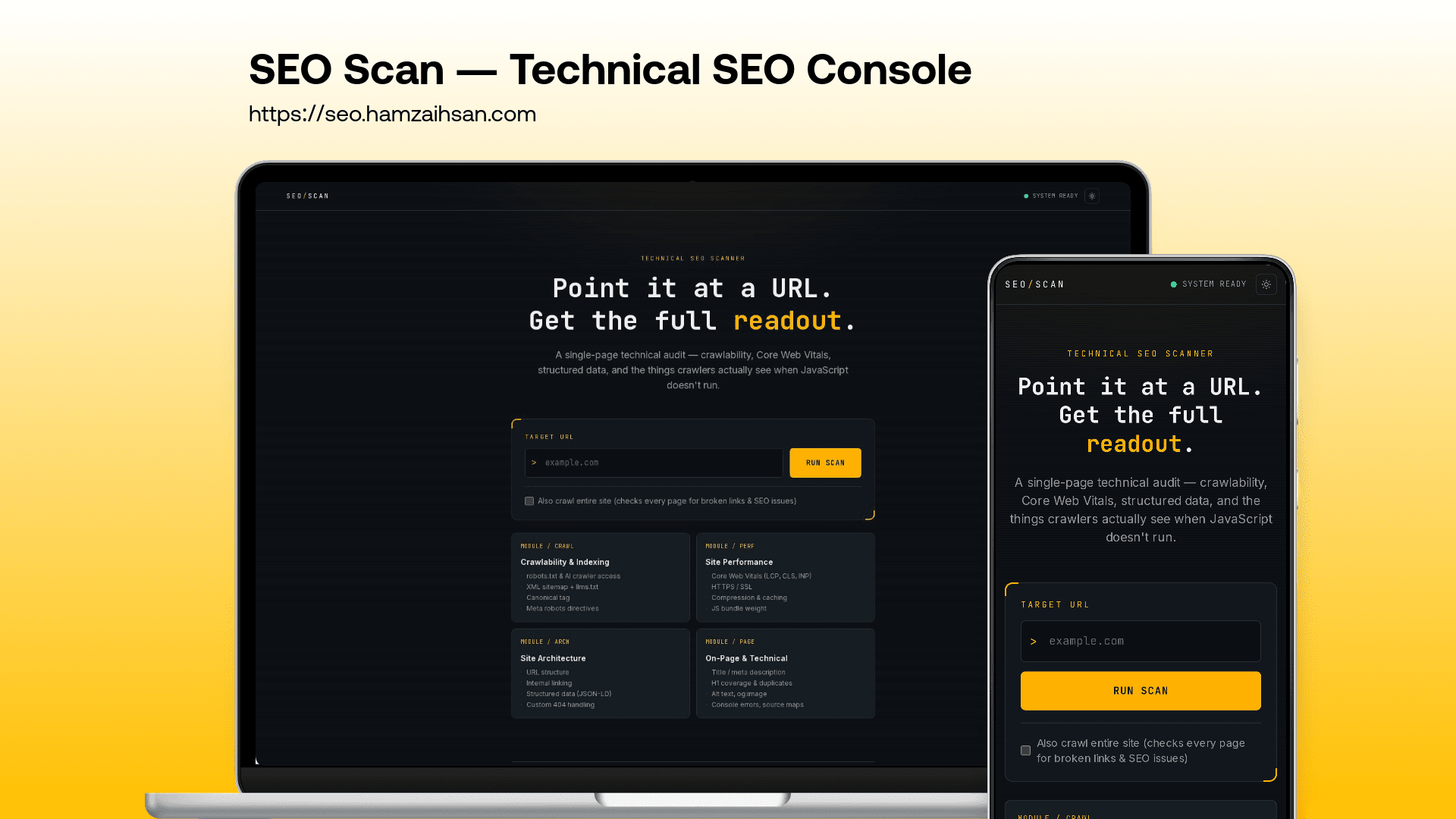
Every website I ship ends the same way. The client looks at the finished site and asks, “Is this good for Google?” For a long time my answer involved opening four tabs, pasting the same URL into four tools, and hitting a paywall in at least two of them. One tool wanted an API key before it would say anything. Another gave me a nice score and no explanation. I kept thinking that this shouldn’t take four tabs. So I built SEO Checker.
The idea is simple. You paste in a URL and get a full audit back, with the problems ranked so you know what to fix first.
Where it started
The first version leaned on Google’s PageSpeed API for performance numbers. It worked, but it meant depending on someone else’s quota and keys for the most important part of the report. So I rewired it. It now launches a real headless Chrome and measures Core Web Vitals itself: LCP, CLS, INP, FCP, and TTFB. Each one gets a Good, Needs Improvement, or Poor rating next to its target threshold, so you can see how far off you are without looking anything up. It needs no API key, and it never asks you to sign up for someone else’s service.
What it actually looks at
Performance is only one part of SEO, and often not the part that’s hurting you. A lot of the time a site is invisible to Google because of something boring. So the tool starts with crawlability: your robots.txt, your XML sitemap, canonical tags, meta robots directives, and any crawl errors. It’s a small set of files and tags, and a mistake in one of them can quietly keep an entire page out of search results.
From there it looks at how the site is built. It checks HTTPS and SSL, server response time, whether you’re serving Gzip or Brotli compression, how your caching headers are set up, how heavy your resources are, and whether the site works on mobile. It also looks at architecture: how clean your URLs are, how well your pages link to each other, whether you have breadcrumbs, whether your structured data is valid, and how many clicks deep your content is buried.
Then comes the part everyone thinks of as “SEO”, the on-page basics. It reviews title tags and meta descriptions, checks that your headings from H1 to H6 make sense as an outline, and reports how many of your images have alt text. It also counts internal and external links and validates your Open Graph and Twitter Card tags, so links to your site look right when someone shares them.
The last piece is the one I use most. Every finding feeds into a recommendations list ranked as critical, high, medium, or low, with the quick wins flagged. A report with fifty issues isn’t much use. A short list of what to fix first is.
Built for actual client work
A tool that only audits one page at a time didn’t fit the way I work, so there’s a full site crawler that audits an entire site and catches problems that only appear across pages. There’s also a faster analysis mode for when you just want a quick answer. Reports can be exported as a PDF with screenshots captured from the real browser. I added that because a PDF you can attach to an email is more useful than a dashboard link, and clients like having something to hold. There’s also a CSV export for anyone who wants the raw numbers in a spreadsheet, and a login system so audits can eventually belong to you.
Under the hood it’s a Next.js 16 app written in TypeScript, styled with Tailwind 4, running on Vercel. Puppeteer with a serverless build of Chromium handles the measuring and screenshots, and Cheerio parses the HTML.
What I’m working on next
I’m still working on some rough edges. The biggest is screenshots on Vercel. Running Chromium in a serverless function is finicky, and I’ve switched that feature off and back on more than once while tuning it. Getting it stable is my first priority.
Next is memory. I’m moving the database to Cloudflare D1 so audits are saved instead of thrown away. That opens the door to comparing a site against its own past results and seeing whether your fixes worked.
I also want the tool to handle sites that block bots. Right now, a page behind a CAPTCHA or a Cloudflare challenge is a dead end. It should tell you clearly that it was blocked instead of handing back a confusing half-report. Beyond that, I need to write some tests, since the project has none, and clean up a docs folder that has grown out of hand.
Longer term, this is one of a few hobby projects I’m turning into something people can pay for. The core audit will stay free. The paid features will be the ones that reward coming back: saved history, and reports you can hand to a client.
Try it
If you have a site you’re curious about, run it through and tell me what breaks. I read every bug report, and they’re how the next version gets better.